

We’ve been called in to fix failing POS setups more times than we can count. The pattern is almost always the same: a business bought the wrong system for the wrong reasons, and now they’re living with the consequences. This is what we’ve learned from those calls.
Every few months, we get a call that goes roughly like this: a business owner in Abu Dhabi or Dubai tells us their POS system isn’t working properly. Sales data is unreliable. The system crashes at busy periods. They can’t get reports in a format that makes sense. Their accountant can’t reconcile the data. They’ve called the provider’s support line and nothing improves.
When we go and look at the setup, we can usually diagnose the root cause within an hour. In the majority of cases, the root cause isn’t a technical failure — it’s a procurement mistake. The system was never the right fit for this business, and no amount of support calls or configuration changes is going to fix that.
This is a guide to avoiding that situation, written from the perspective of having deployed POS systems across retail, hospitality, and exhibition environments in the UAE — and from being called in to clean up the ones that didn’t work.
The three reasons businesses pick the wrong POS
1. They optimise for price
The cheapest POS system is almost always the wrong choice for a business that depends on it. This isn’t a sales pitch — it’s arithmetic. A POS system that costs AED 200/month and causes 30 minutes of downtime during a busy Friday evening has cost you more than the AED 100/month saving within the first month. A system that produces unreliable sales data costs you more in accountant time, reconciliation errors, and bad business decisions than any licence fee difference.
The right question isn’t “what does it cost?” It’s “what does it cost when it doesn’t work?”
2. They pick based on features they don’t use
POS vendors are good at demos. Their systems look impressive when a trained salesperson is showing you every feature in a controlled environment. The problem is that most businesses use perhaps 30% of the features in any POS system. The remaining 70% adds complexity, confusion, and cost — without adding value.
We always ask clients: what do you actually need to do at your checkout? Process a sale. Handle a return. Apply a discount. Print a receipt. Maybe check stock. For most retail businesses, that’s the list. If a system can do those five things reliably and quickly, it’s doing its job. The loyalty programme integration and the AI-powered demand forecasting are features you’ll pay for and never touch.
3. They don’t think about what happens after day one
A POS system isn’t a one-time purchase. It’s an ongoing relationship — with the software, with the hardware, and with the company providing it. The questions that matter most are the ones businesses almost never ask in the sales process:
- What happens when the system goes down during a busy period? Who do I call, and how quickly do they respond?
- What does the support contract actually cover — is on-site support included, or just a phone line?
- How is my data structured, and can I export it in a format my accountant can use without a 20-minute tutorial?
- What happens to my historical data if I decide to switch systems in two years?
- Who owns the hardware, and what’s the process if a terminal needs replacing?
What actually matters when choosing a POS
Reliability above everything
Your POS system needs to work. Not most of the time — all of the time. Every vendor will tell you their system is reliable. The only honest way to assess it is to talk to businesses that have been running it for at least 12 months, in a similar environment to yours, at similar volumes. Ask specifically about busy periods. Ask about what happens when the internet goes down — does the system work offline? Ask about hardware failures — how quickly can a broken terminal be replaced?
UAE-market payment gateway compatibility
This is where many internationally-marketed POS systems fall down in the UAE. The payment gateway ecosystem here is different from Europe or North America. Telr, PayTabs, Network International, Magnati — these are the processors your customers’ cards run through. A POS system that doesn’t integrate properly with UAE gateways will cause settlement issues, reconciliation errors, and declined transactions that shouldn’t be declined. Always verify the gateway integration with a live demo — don’t take “yes, we support UAE payments” at face value.
Arabic interface — not just Arabic receipts
If your staff are Arabic-speaking, they need to be comfortable with the system. A POS with an English-only interface that produces Arabic receipts is not the same as a bilingual system. Staff who are reading an interface in their second language make more errors, work more slowly, and find workarounds that create data quality problems you’ll spend hours untangling.
3
80
2
Data you can actually use
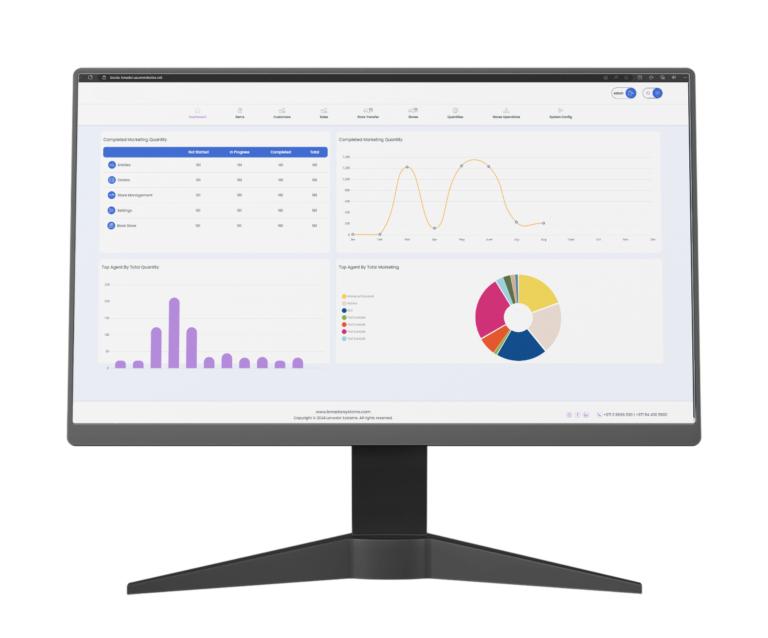
Your POS data should be working for your business, not sitting in a proprietary format that only the vendor’s reporting tool can read. You should be able to export daily sales by product, by category, by payment method, by time of day — in a format your accountant recognises. If the answer to “can I export my data to Excel?” is a 20-minute explanation of the vendor’s custom reporting module, that’s a warning sign.
Hardware that fits your environment
A touch-screen iPad POS on a Heckler stand looks great in modern retail. It’s the wrong choice for an outdoor market stall, a food truck, or a busy warehouse. Consider your physical environment honestly: heat, humidity, dust, the risk of drops or spills, whether staff are stationary or moving. The hardware needs to survive your day, not just look good in a showroom.